Admirals x MetaTrader 5 – built for traders who take execution seriously.
One of the longest-standing MetaTrader partners in Europe. 6,000+ instruments. FREE Supreme Edition & StereoTrader* — a powerful trading tool for eligible accounts. Experience reliable execution on the platform. Built for traders who`ve seen it all. *terms apply.


What your current broker won`t tell you
Admirals is built around one idea: your broker should be on your side.
Want execution that feels consistent?
99.68% of orders filled at requested price or better under typical market conditions.
Automated execution with no manual dealer intervention. Designed for fast-moving markets and active MT5 trading. Clear rules and controls for how orders are handled.
Lost money to downtime during NFP?
99.9% core platform uptime — continuously monitored
Built to keep MT5 available day to day. We monitor systems 24/7 and use backup capacity to reduce disruptions. We aim for smooth access so you can focus on trading. Performance is tracked and reviewed regularly.
Zero spreads that somehow still cost you?
Spreads from 0.0 pips on Zero.MT5
Clear pricing and conditions — published upfront. No surprise charges added later. 1 free withdrawal per month across all methods. Pricing rules are published — simple, transparent and consistent.
Chatbot loops when you need a real answer?
Real humans who understand MT5 and the difference between a stop limit and a trailing stop. Support in 15+ languages.
Want a smoother withdrawal experience?
Clear rules. Built-in safeguards. Full transparency.
Client money is kept segregated from our own funds. Fast handling on our side: same-business-day processing on business days (cut-off applies). Clear status updates at each step. Covered/eligible clients may benefit from protection up to €20,000 (ICF) and up to €100,000 supplementary coverage in the event of insolvency (terms apply).

6 reasons traders
choose MT5
The platform built for traders who need more than the basics.
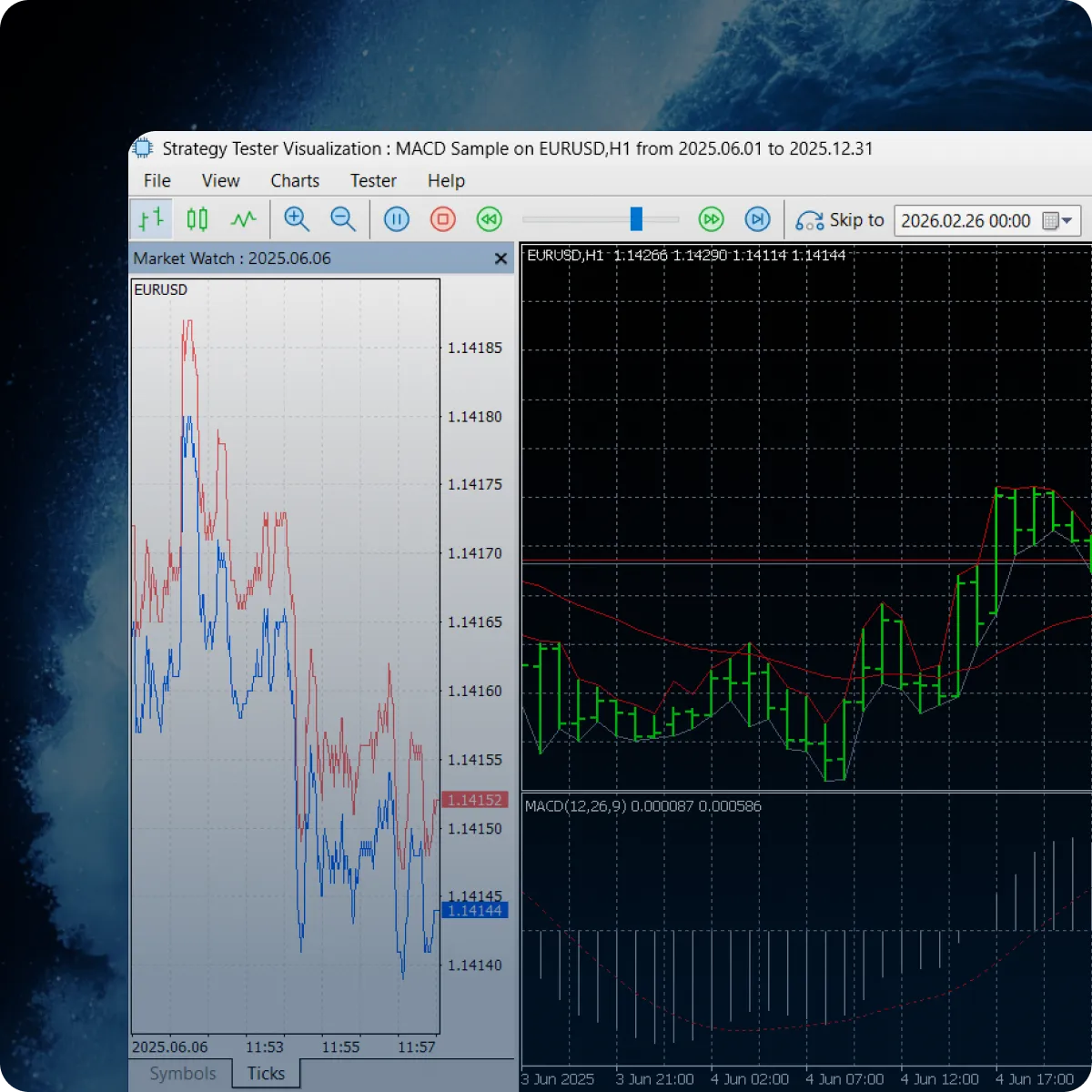
Strategy Tester That Doesn`t Lie
Multi-threaded, 64-bit backtesting with real tick data from Admirals — not generated approximations. Test multi-currency strategies across thousands of scenarios in minutes. Connect to MQL5 Cloud Network for distributed computing.
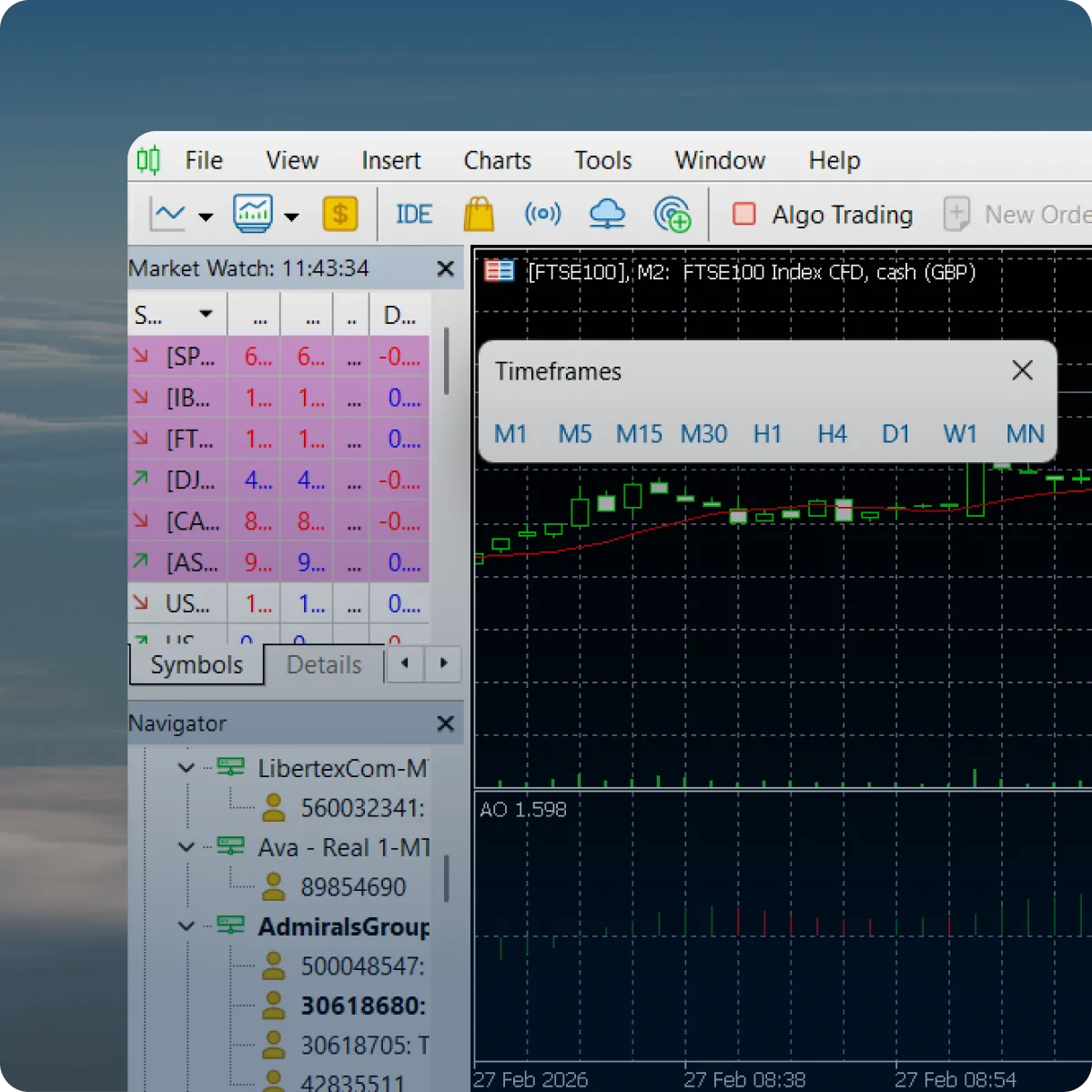
21 Timeframes for Precision Entries
From M1 to Monthly, plus 12 intermediate timeframes MT4 never had — M2, M3, M6, M10, H2, H3, H6, H8, H12 and more. Run multi-timeframe strategies with granularity that matches your trading logic.
Full Depth of Market
An interface for viewing market depth and price levels. Helps you assess current liquidity and available volumes. Useful for understanding price levels before placing orders.
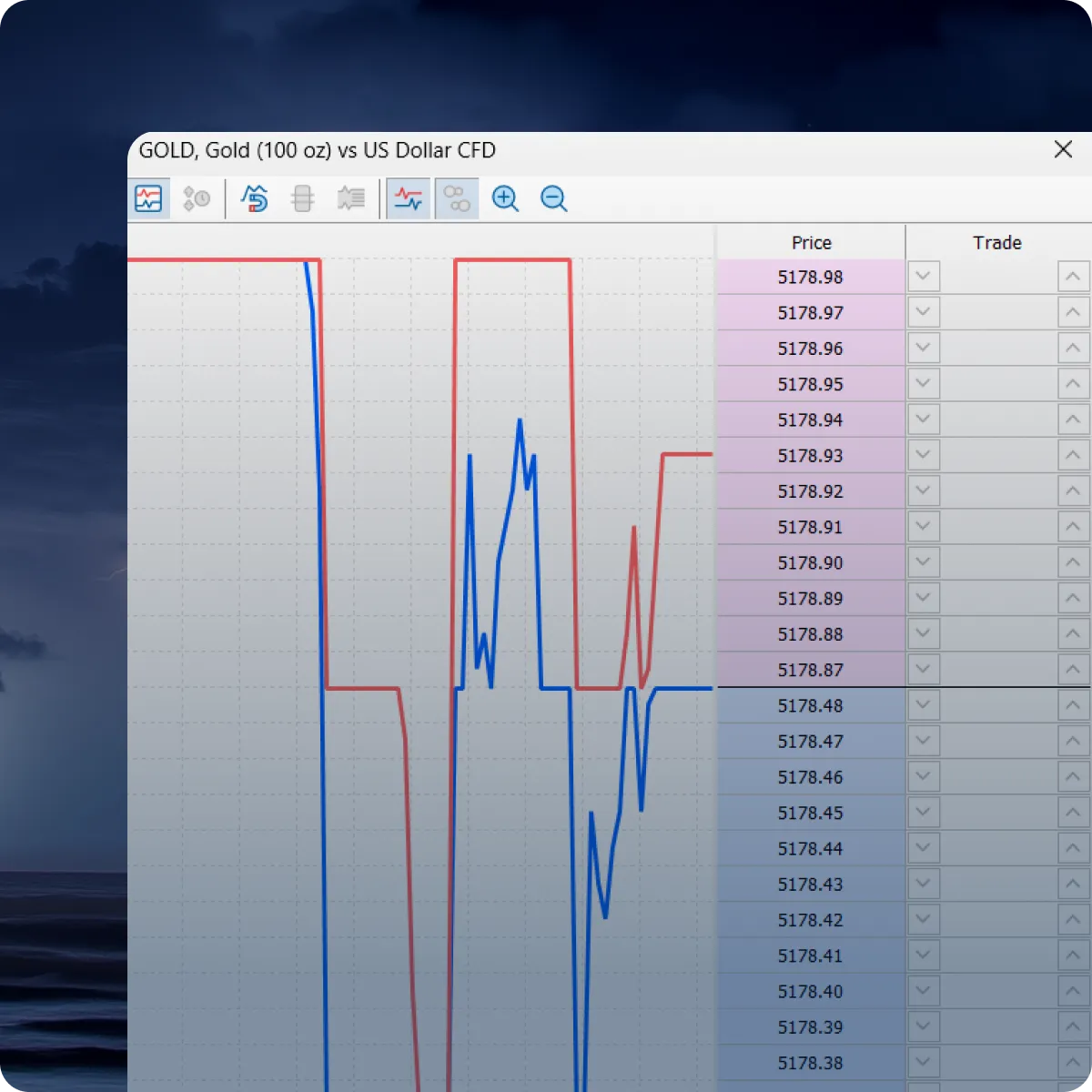
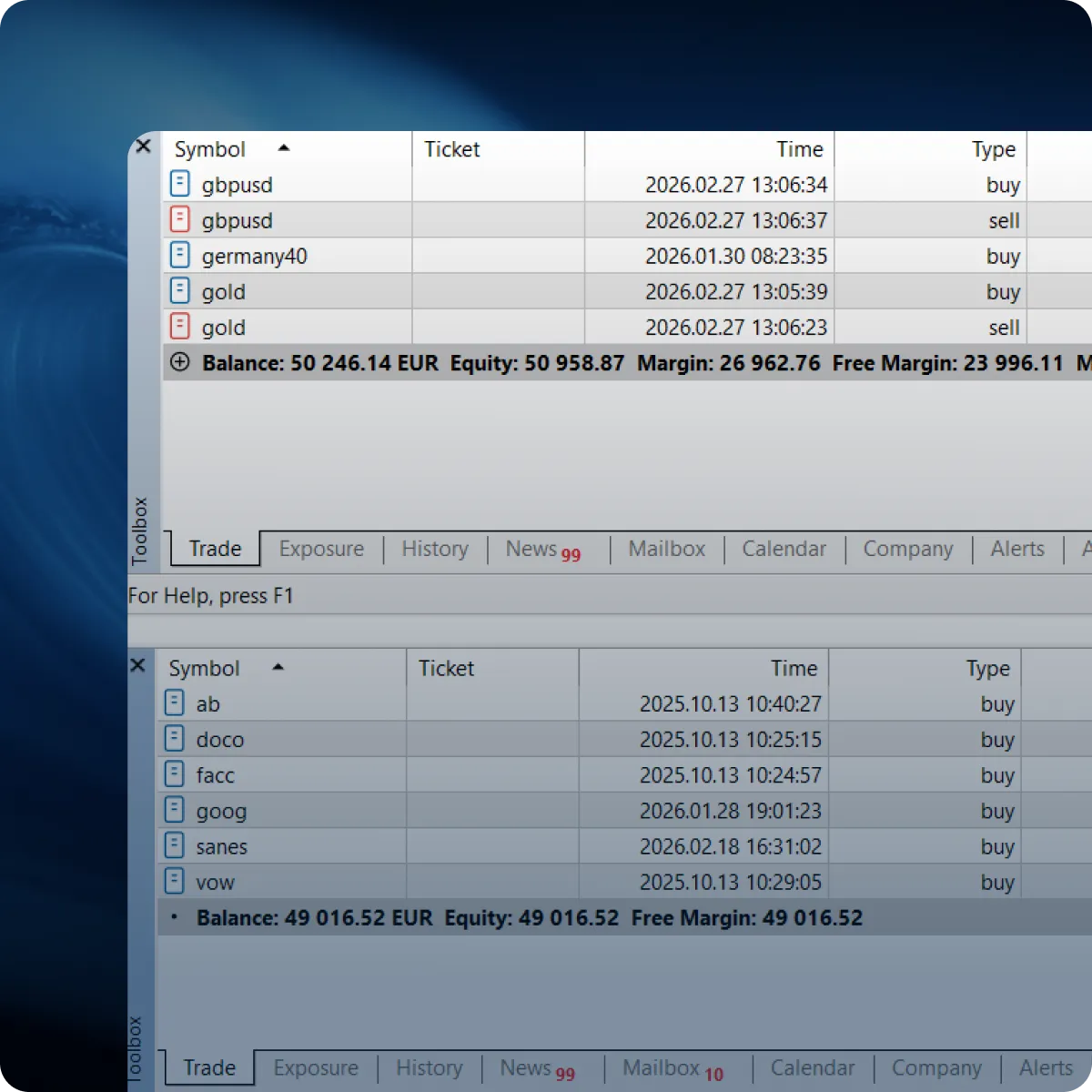
Hedging & Netting — Built In
Use one platform for different trading styles, with both position accounting systems supported. Investing is supported in netting mode, while CFD accounts are configured for hedging. Which mode applies depends on the account type and how the account is set up.
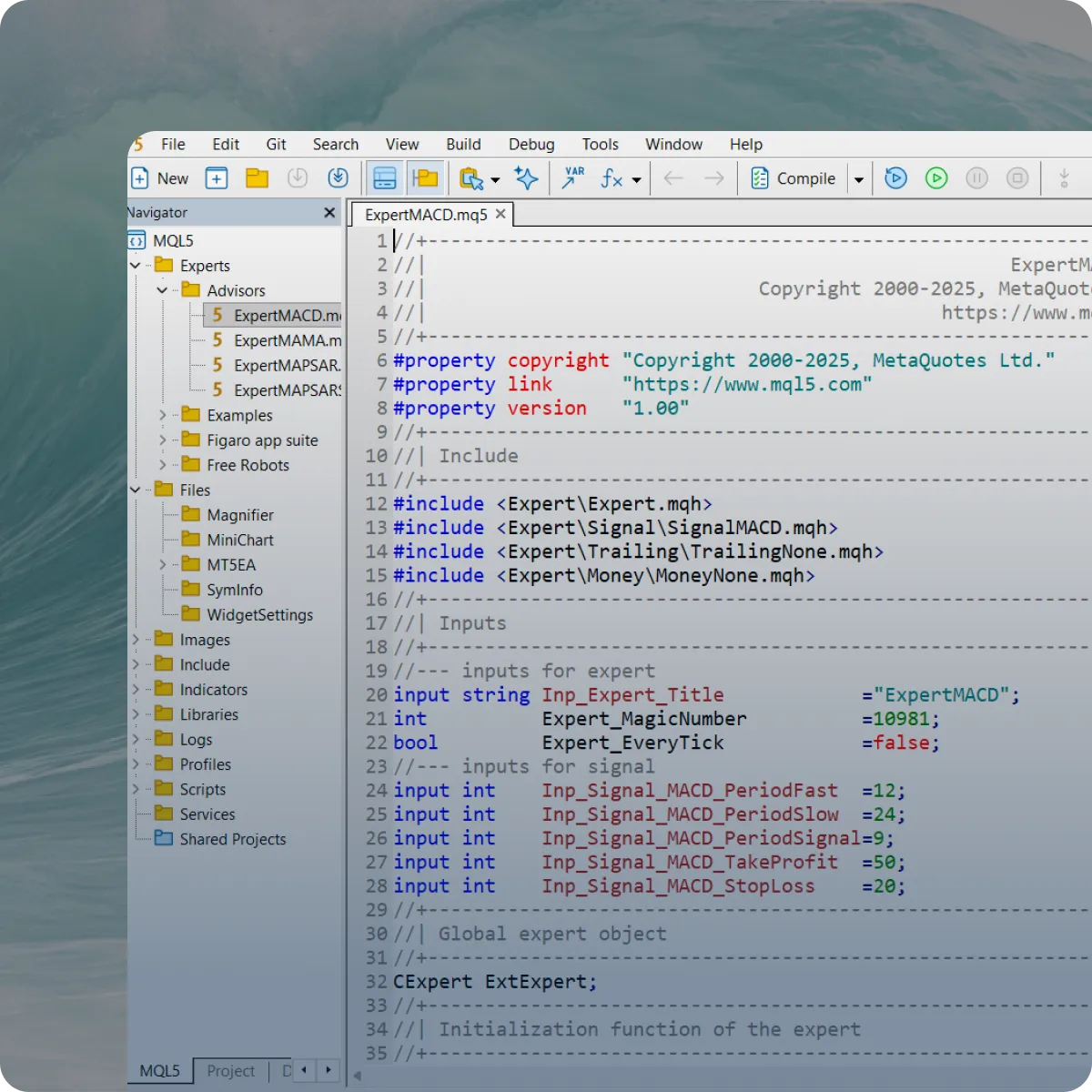
MQL5: Advanced Coding Capabilities
MT5 includes MQL5 — a powerful language for trading automation. It supports object-oriented programming with classes and a rich standard library. Build structured EAs and custom indicators with maintainable, modular code.
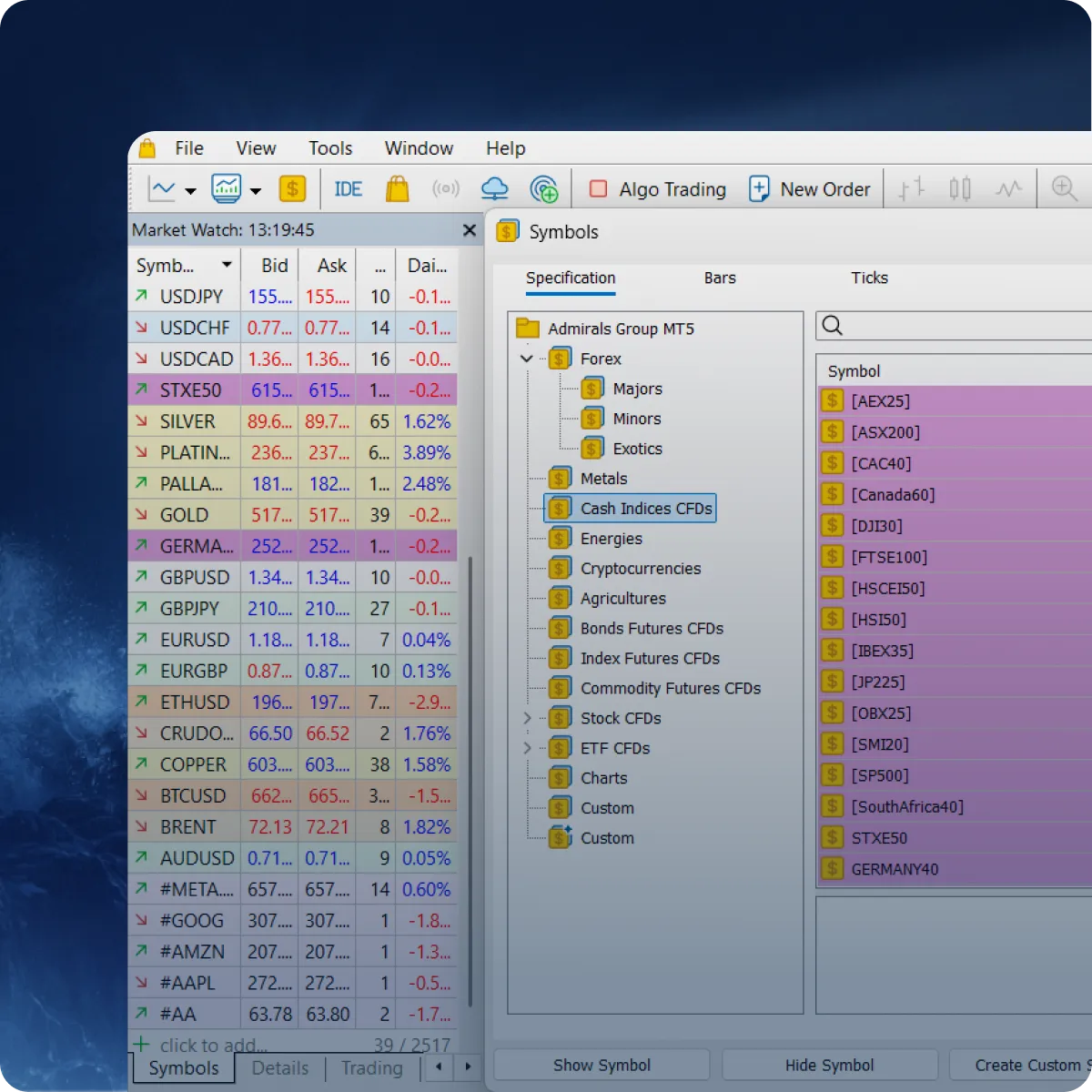
6,000+ Instruments on MT5
Access forex and CFDs, plus exchange-listed shares across 14+ exchanges — from the same MT5 platform. Explore more markets without switching platforms. A broad product range designed to support diversification and active trading.
No hidden costs. No fine print.
Just the numbers.
Full transparency on every account type. Pick what fits your strategy.
*Available base currencies: EUR, USD, CHF, PLN, RON, HUF.
*Available base currencies: EUR, USD, CHF, PLN, RON, HUF.
*Available base currencies: USD, RON
* Stocks & ETF CFDs: from $0.02/share. Other instruments: $0.00
Free trading tools included with your account
Access a range of professional trading enhancements at no additional cost.
MT Supreme Edition Plugin
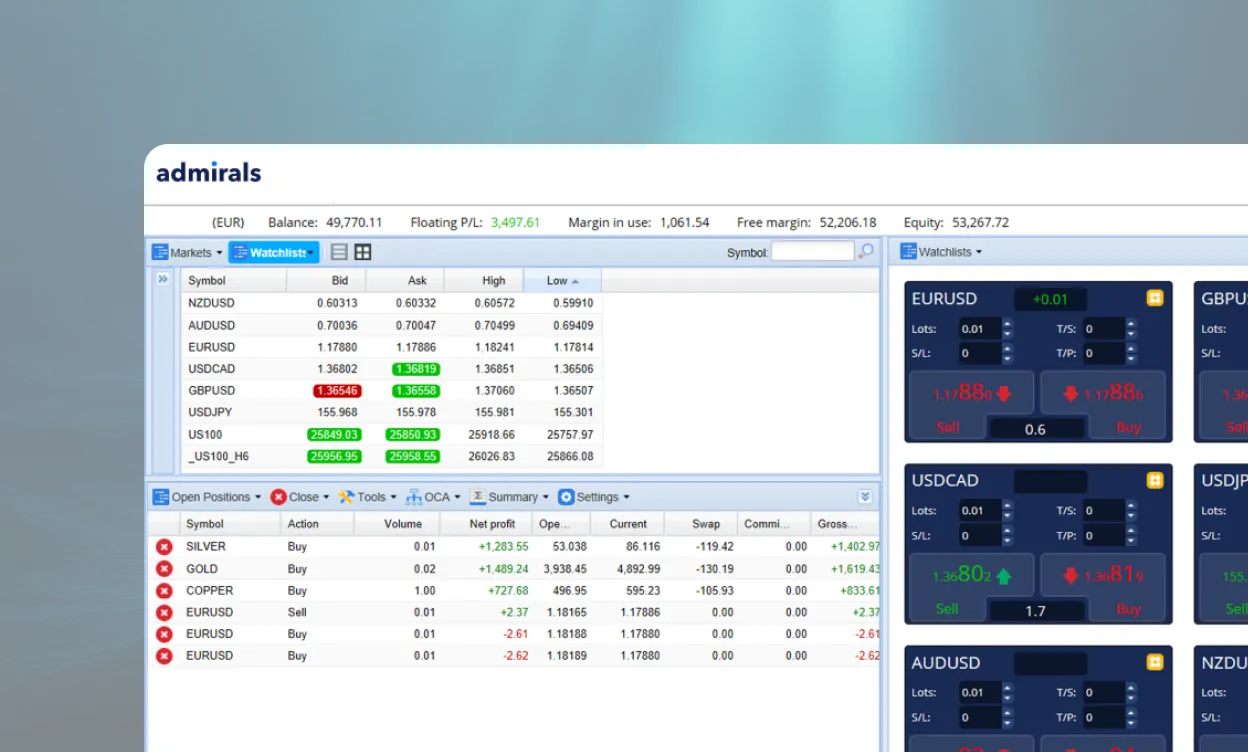
StereoTrader
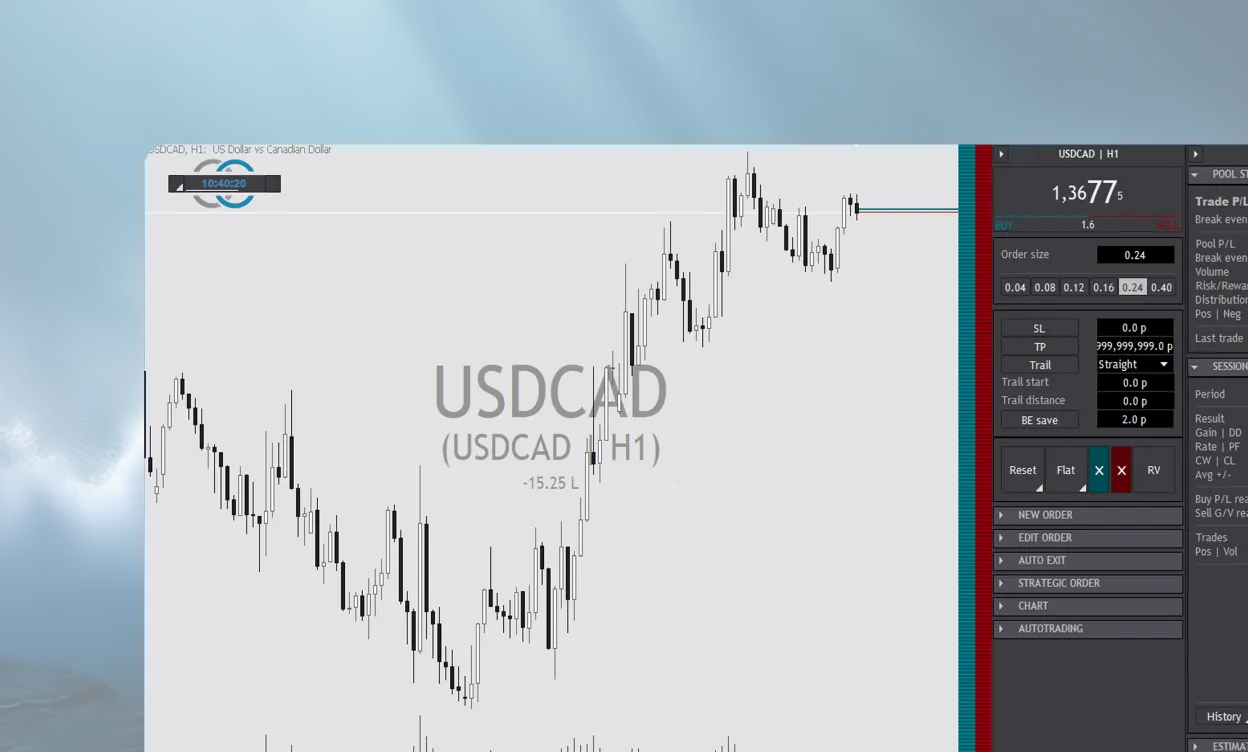
25 years in the market
Zero years cutting corners.
Admirals is publicly listed parent company with audited financials. Client funds segregated in top-tier EU banks, not used for our own purposes.
We`ve operated through the 2008 financial crisis, the SNB flash crash, COVID volatility, and every market shock in between. When you`ve been doing this for 25 years, your track record speaks louder than your marketing.




Admirals is publicly listed parent company with audited financials. Client funds segregated in top-tier EU banks, not used for our own purposes.
We`ve operated through the 2008 financial crisis, the SNB flash crash, COVID volatility, and every market shock in between. When you`ve been doing this for 25 years, your track record speaks louder than your marketing.

Supplementary insurance*
Per client, supplementary coverage up to €100,000. *T&C apply

Investor compensation fund
Up to €20,000 per eligible client

100% negative balance protection
For Retail clients in line with our policy

Segregated client funds
Held in EU-regulated banks, never operational capital
Why experienced traders choose Admirals
For over 25 years, Admirals has focused on building reliable trading infrastructure for experienced market participants. A regulated European broker built for long-term trading.

Questions from experienced traders
MetaTrader 5 (MT5) is a multi-asset trading platform that combines advanced charting, order execution and position management in one place.
With MT5, you can:
- analyse price charts and use built-in indicators
- place and manage trades
- track your trading activity with detailed account history and reports
- access automation features, including Expert Advisors (EAs) and built-in strategy testing tools
In simple terms, MT5 is the platform interface, while Admirals provides your trading account and access to the instruments available under your account terms. Available instruments and trading conditions may vary depending on your account type.
MetaTrader 5 connects securely to the Admirals trading server, allowing you to view available quotes, analyse charts, place and manage orders directly from the platform.
How MetaTrader 5 works in practice:
1. Download MT5 for desktop, or use the web/mobile version (where available).
2. Log in using your Admirals MT5 account details.
3. Choose an instrument and open a chart.
4. Place an order (buy or sell) and set your preferred order parameters.
5. Monitor your open positions, account balance and trade history within MT5.
So, MetaTrader 5 provides the trading interface, while Admirals provides the trading account, access to the instruments available under your account terms and the applicable trading conditions.
To start using MetaTrader 5 (MT5) with Admirals you need to install the platform, log in to your trading account, and use the built-in charts and order tools to place and manage trades.
Basic steps:
• Download MetaTrader 5 on your PC or mobile device
• Log in to MT5 using your account number (ID), password and server
• Open Market Watch to view instruments
• Open a chart and apply indicators, drawing tools, or Expert Advisors (EAs), if required.
• Place an order via New Order (or trade directly from the chart)
• Monitor open positions in the Toolbox/Terminal area
If you are new to MetaTrader 5, you may find it helpful to practise first on an Admirals demo account to familiarise yourself with the platform’s features before trading live.
To download MetaTrader 5 on PC, use the official Admirals MT5 download page and/or your Admirals Dashboard download the installer, and follow the on-screen installation steps.
How to download MetaTrader 5 on PC:
1. Go to the Admirals MetaTrader 5 page and/or log in to the Admirals Dashboard.
2. Click Download MetaTrader 5 (PC/Desktop).
3. Open the downloaded installer file and run the installation.
4. Open MT5 and log in with your account details.
If you cannot log in after downloading MetaTrader 5 on PC, please check:
• account number/login
• password
• the selected server (make sure it matches the one provided with your account)
MetaTrader 5 is the platform you trade on. To go live, create a real trading account with Admirals and access MT5 using your Admirals account details.
How to open a real account on MetaTrader 5:
1. Register with Admirals and create your client profile.
2. Complete the required verification checks (where applicable).
3. Choose your account type.
4. Receive your MT5 login (account ID) and server. The password is set during the account opening process.
5. Log in to MetaTrader 5 using your real account details.
Important: Please note that MT5 is a platform interface only. A live trading account must be opened and maintained with Admirals, and then used to log in to MT5.
To use a demo account on MetaTrader 5 (MT5), you first open an MT5 demo account with Admirals, then log in to MT5 using the demo credentials we provide.
A MetaTrader 5 demo account usually lets you:
• practise trading with virtual funds
• get familiar with MT5 features and tools
• test charts, indicators, and order types
• try trading strategies before switching to a live account
An MT5 demo account with Admirals can be a practical way to explore the platform before moving to live trading (subject to local availability).
To trade on MetaTrader 5, log in to your MT5 account, select an instrument, set your trade parameters and place a buy or sell order.
How to trade on MetaTrader 5 (basic process):
1. Open MetaTrader 5 and log in.
2. Find an instrument in Market Watch.
3. Open the chart.
4. Click New Order.
5. Set your order parameters, such as volume (lot size) and, if needed, Stop Loss and Take Profit.
6. Select Buy or Sell to place the order.
7. Monitor the trade on the platform.
If you are getting familiar with MT5, you may find it helpful to start with an Admirals demo account to practise in a demo environment before trading live.
MetaTrader 5 (MT5) is the newer MetaTrader platform. Compared with MetaTrader 4 (MT4), MT5 offers a more modern interface and a wider set of built-in features.
MetaTrader 4 vs MetaTrader 5 (key differences):
• MT5 typically provides a broader selection of built-in tools, including additional timeframes and order options.
• MT5 is designed as a more multi-asset platform.
• MT4 is often chosen by traders who rely on existing MT4 indicators and EAs.
• MT5 uses a different programming environment, so EAs and indicators are not directly interchangeable between MT4 and MT5.
To fund your MT5 trading account, deposits are made via the Admirals Dashboard, not within the MetaTrader 5 platform.
How to deposit money for MT5 trading:
1. Log in to your Admirals Dashboard.
2. Open Manage Funds and select Deposit.
3. Choose the trading account you want to fund.
4. Choose your preferred payment method (availability may depend on your location).
5. Follow the on-screen steps to complete the deposit.
6. Once credited, your updated balance will be visible in MT5.
To withdraw funds from your MT5 trading account, you submit a withdrawal request via the Admirals Dashboard. Withdrawals are not processed directly in the MetaTrader 5 platform.
How to withdraw money from an MT5 account:
1. Log in to your Admirals Dashboard.
2. Open Manage Funds and select Transfer.
3. Choose the trading account and the amount you want to withdraw, and transfer the funds to your Wallet.
4. Then, open the Manage Funds menu again and select Withdraw.
5. Choose the wallet you want to withdraw from, enter the withdrawal amount and select your preferred withdrawal method.
6. Submit your request and follow any on-screen instructions.
7. You will receive a confirmation once your request has been processed.
Admirals & MetaTrader 5 — for experienced traders